AI-Ready Design System: Figma to Production Code
Transforming Casino Brands Into AI-Compatible Architecture
Company
Online Gaming
My Role
Industry
Gaming
Date
May 2025
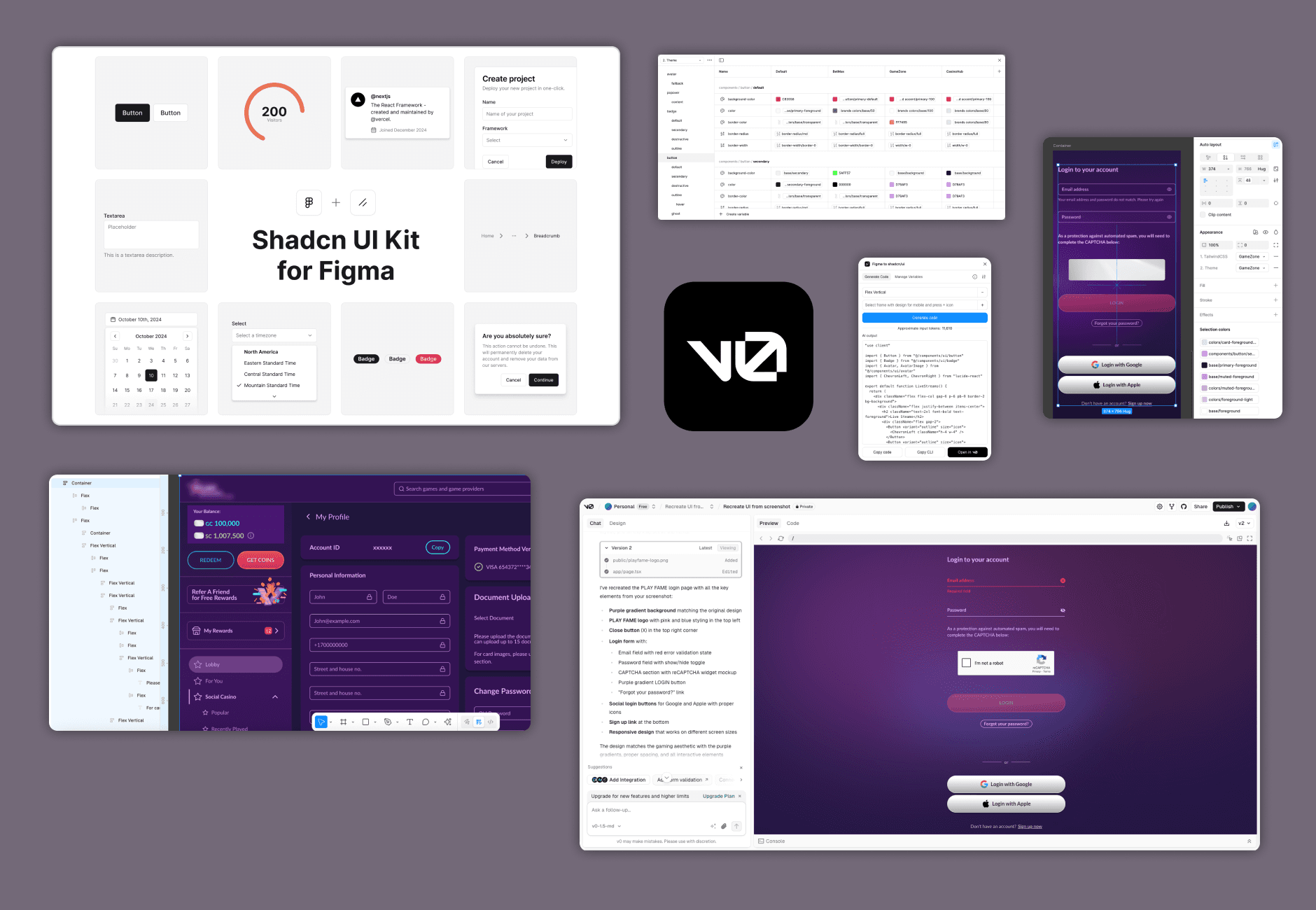
The challenge
Three brands
Three casino brands needed AI-generated interfaces that stayed on brand and compliant.
Generic output
V0 had no way to know the brand. Every screen came out looking like default Shadcn.
Slow handoff
The traditional design-to-development workflow couldn’t keep up with market expansion.
The system
I built a token system in Figma that maps a casino brand onto the names Shadcn and Tailwind expect.
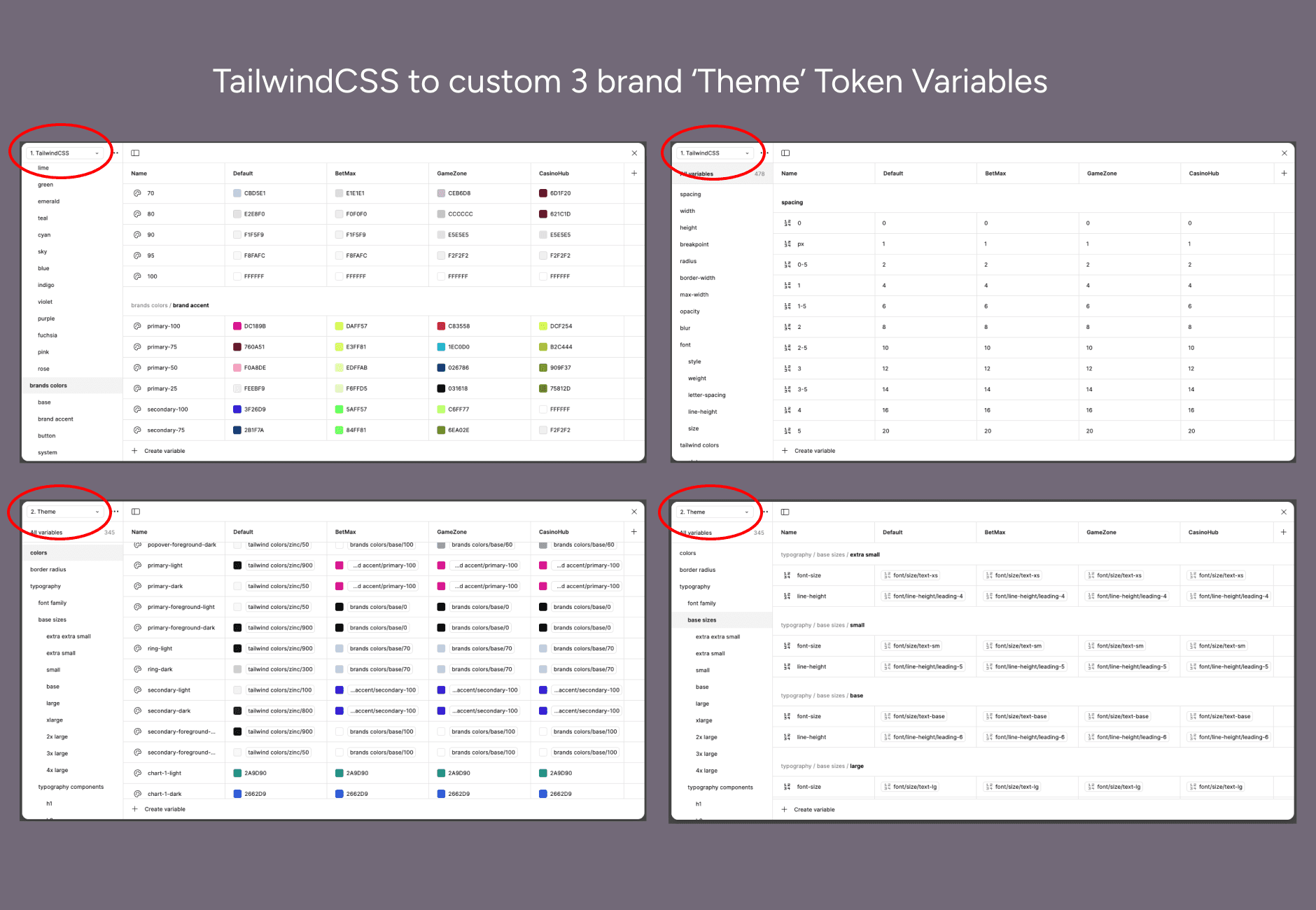
Set 1: TailwindCSS
Primitives for spacing, typography and radius, brand colours that override Tailwind’s defaults, and semantic tokens on top.
Set 2: Theme
Component tokens such as background, card and accent. They inherit from Set 1 and match Shadcn’s token names.
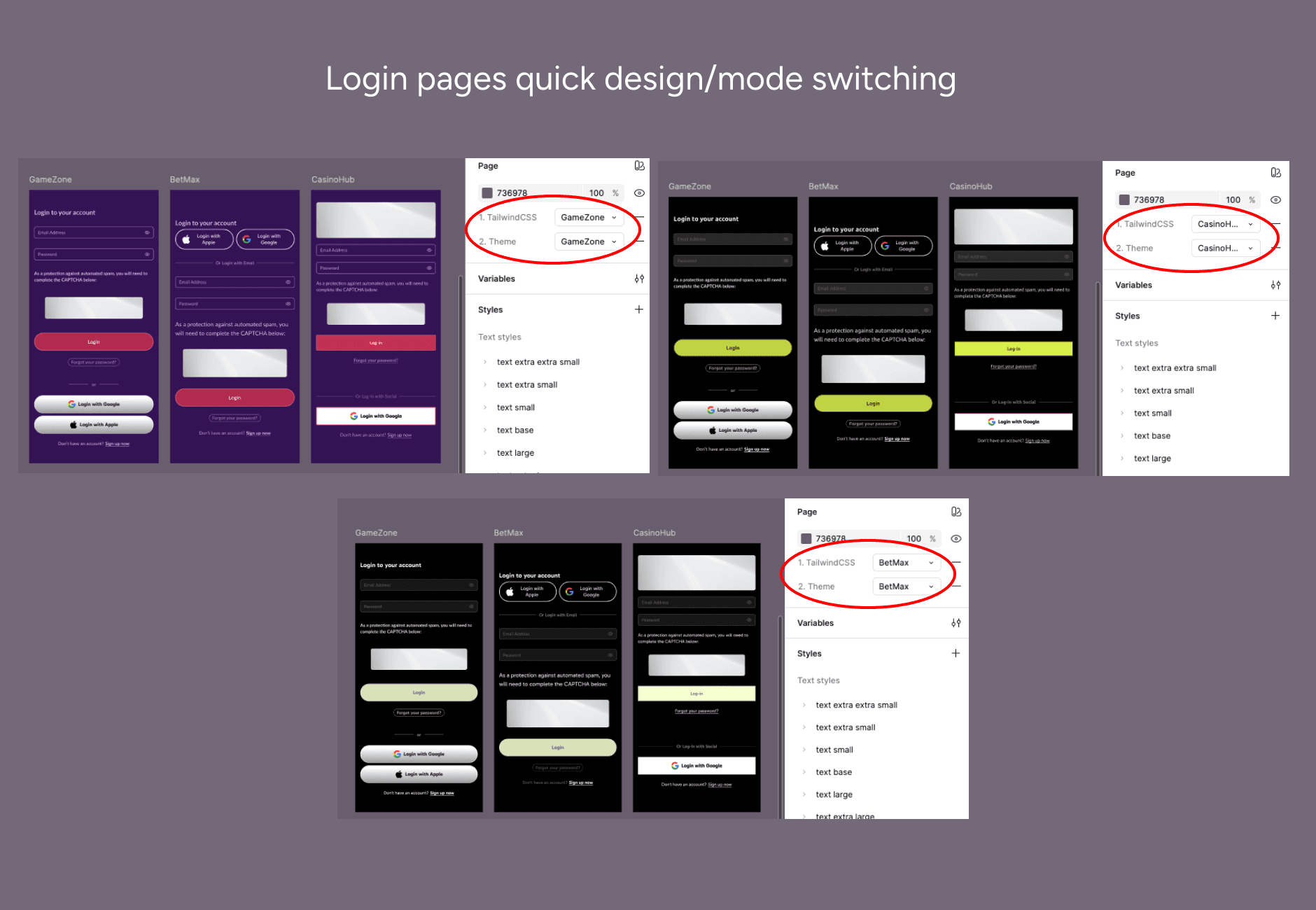
All three brands share the structure. Switching mode swaps the values, so one system serves every brand.
How it works
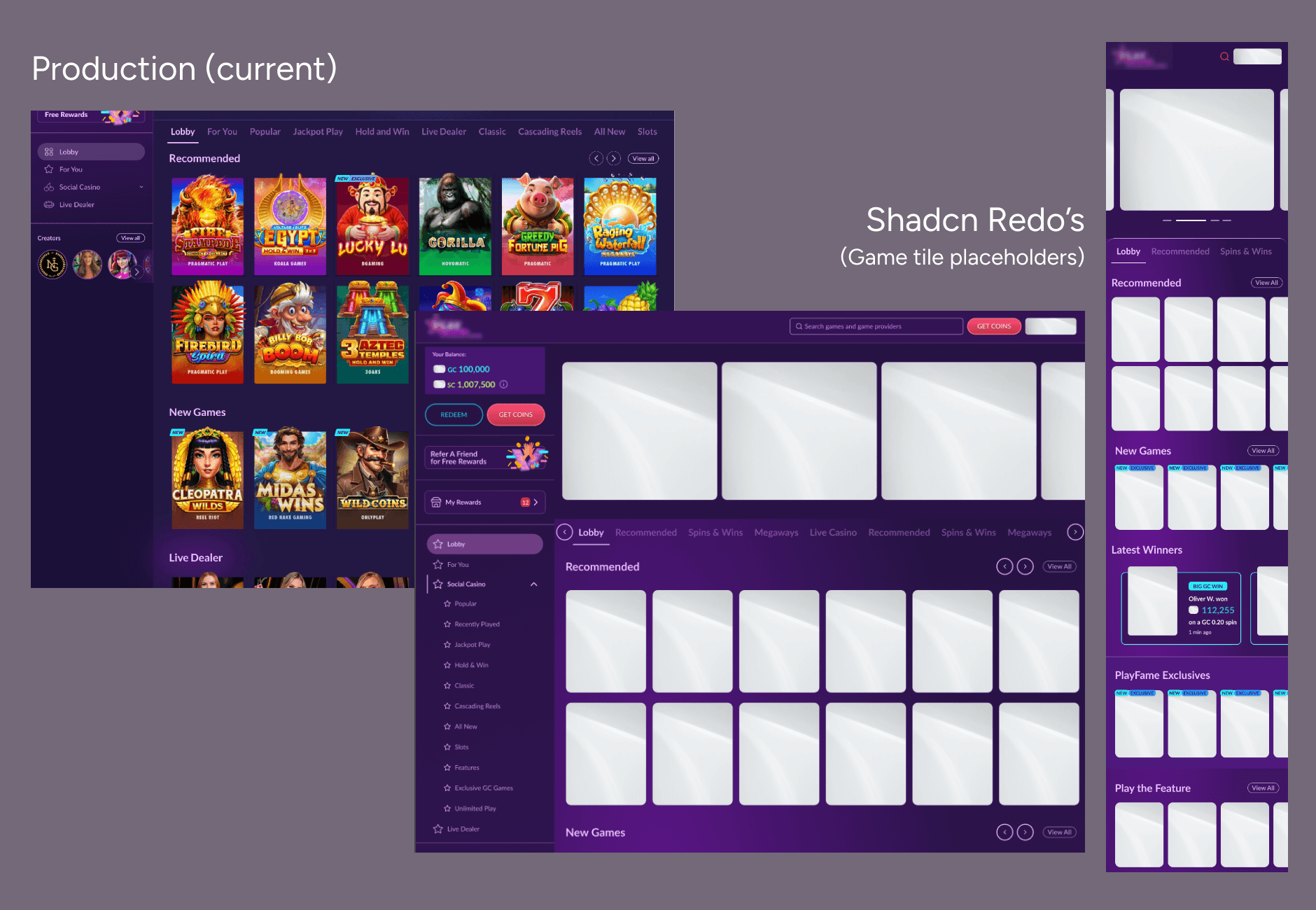
I compared three versions of the casino interfaces: the original Figma designs, live production and the new Shadcn redesign.
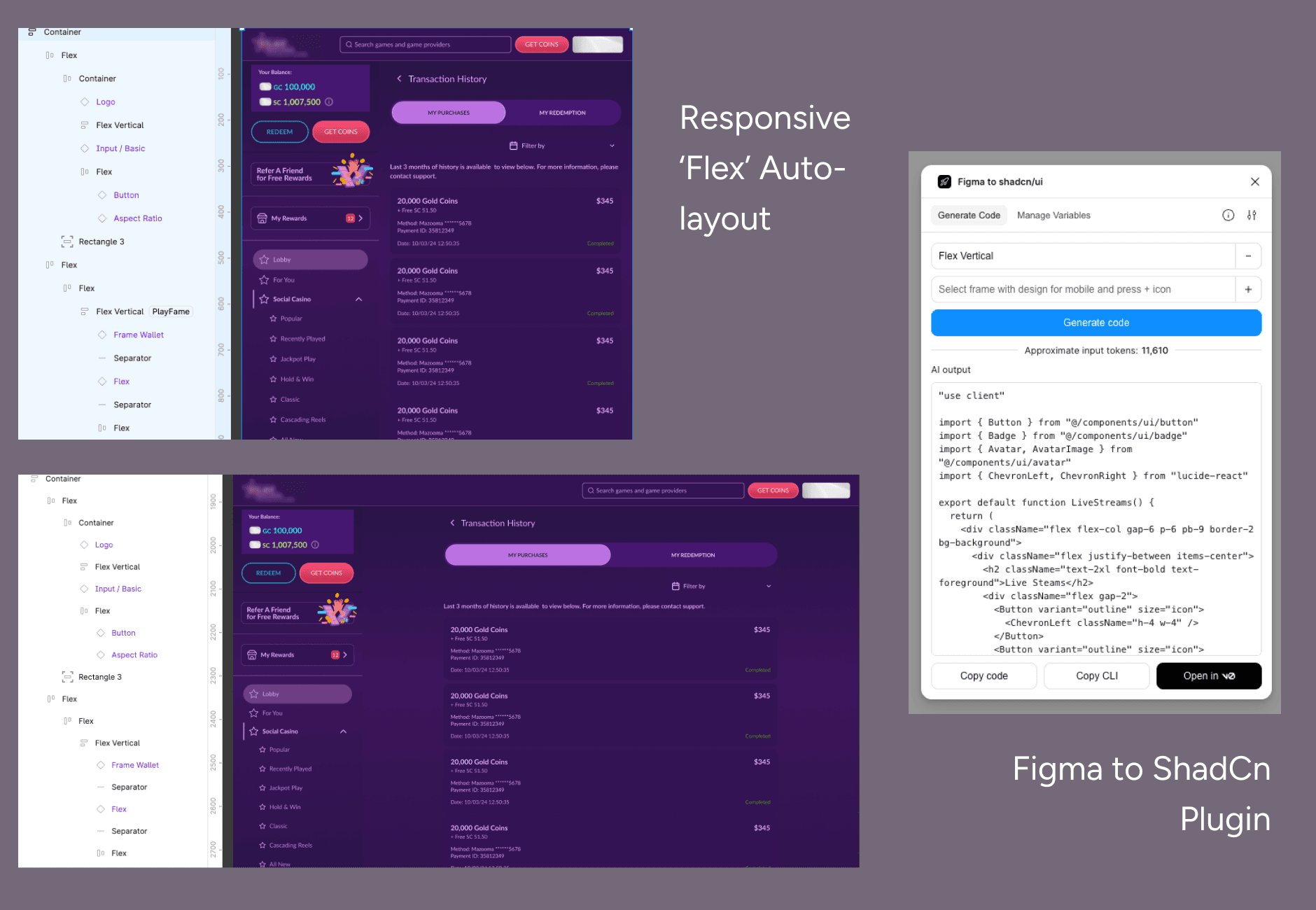
Pages were rebuilt with real Shadcn components and the custom tokens. Every spacing value uses a Tailwind token, and layers are named the way the code is structured: Flex, Flex Vertical, Container.

Results
less time to create a component
production-ready code straight from V0
casino brands on one design system
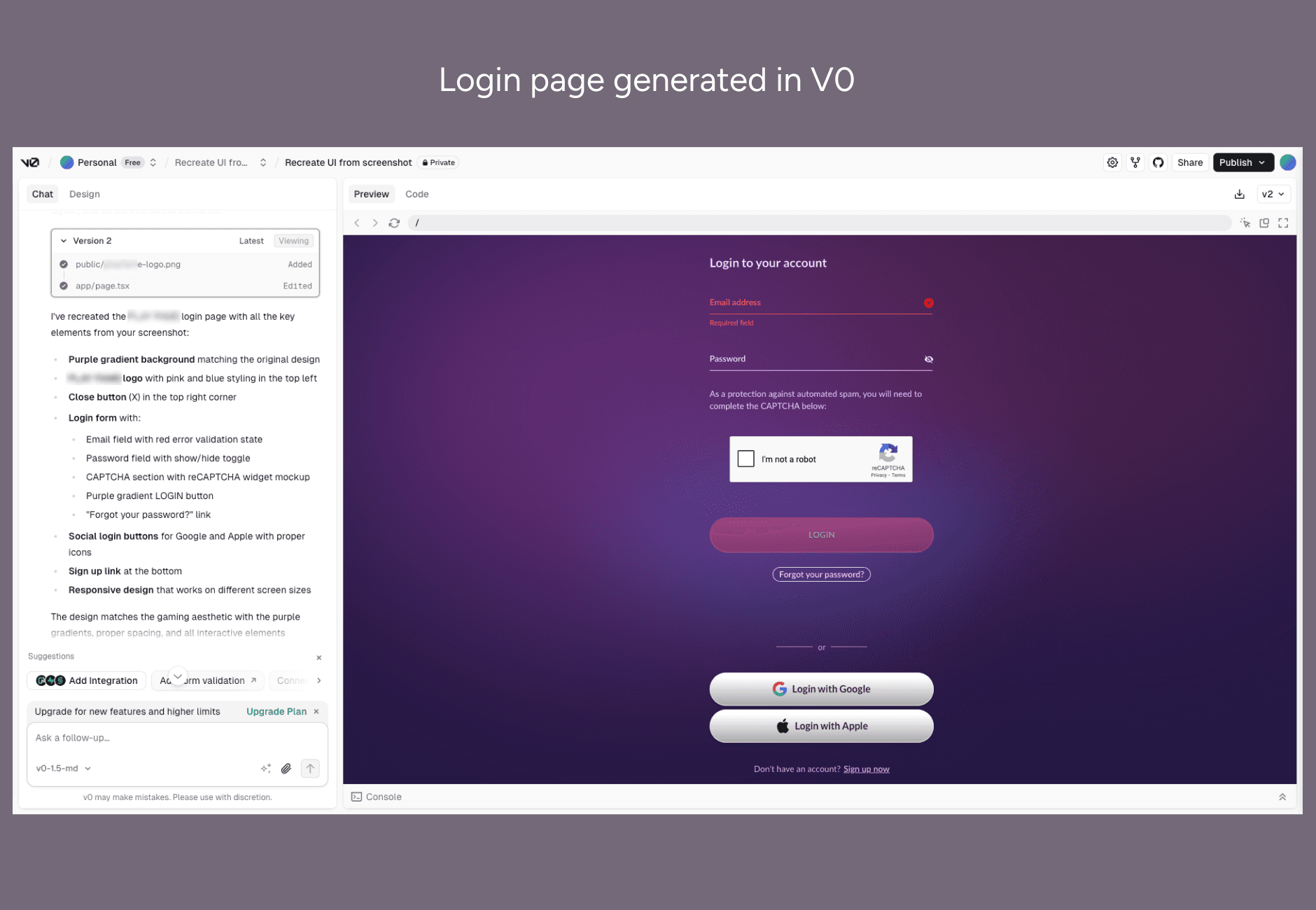
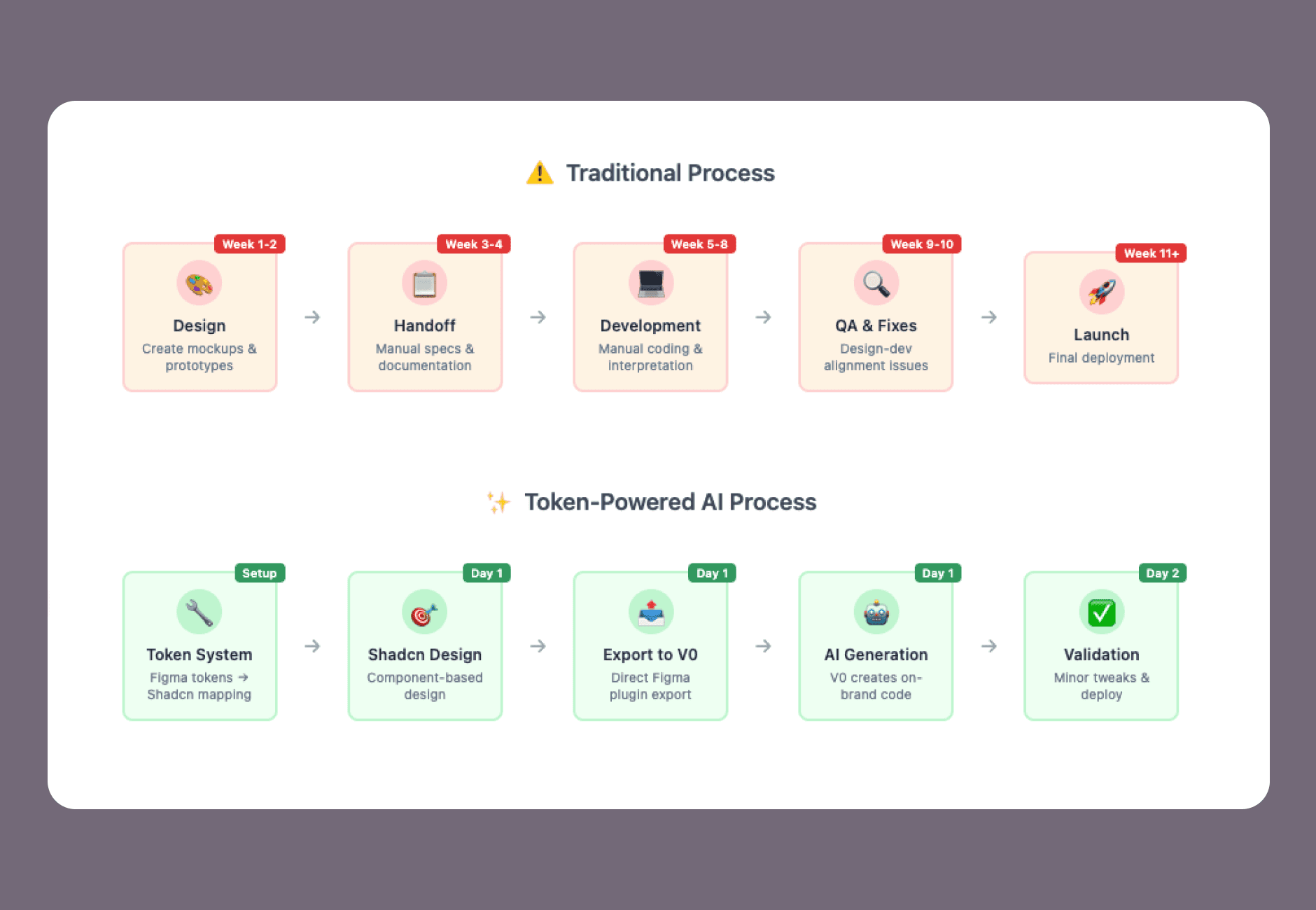
A Figma to Shadcn plugin exports designs straight to V0. The old route of design, developer interpretation, code and QA took weeks. Prompt, generate and validate takes days.
New brands are added by changing token values.
Takeaway
The Figma file stopped being documentation and became something V0 could read directly.
That is the part I’d repeat on any design system now.
For a product taken all the way from Figma to a live app this way, read how one designer shipped a real app with AI.